

Workstation Sink upgrades are quickly becoming the go-to solution for homeowners looking to declutter their kitchen counters and maximize prep space—especially if you’ve got a tight remodel budget and a 30-inch cabinet to work with. But is the hype real, or are the hidden costs and cleaning hassles not worth it?
Key Takeaways
- Stainless-steel workstation sinks can double usable kitchen space, but require careful sizing and extra cleaning effort.
- Total cost (unit plus install) typically ranges from $950–$2,000, including accessories and minor plumbing or cabinet mods.
- Most complaints are about cleaning complexity and high initial investment; smart accessory choices and routines help cut long-term hassle.
- Why workstation sinks are suddenly mainstream (market snapshot)
- Is a workstation sink worth it? Real cost picture
- Fit, cabinet and plumbing checklist before you buy
- Top user complaints — what goes wrong in real kitchens
- Accessories: which add real value and which create headaches
- Material & durability tradeoffs (16‑ vs 18‑gauge stainless steel and beyond)
- Small-kitchen strategies — maximize prep space without sacrificing function
- Maintenance routine that prevents common pitfalls
- Best workstation sink upgrades for 2026 — who to consider and why
- Quick decision checklist + FAQ (final buy/skip guide)
- Resources & next steps (tools, links, and what to ask a pro)
Why workstation sinks are suddenly mainstream (market snapshot)
Over the last two years, demand for multifunctional kitchen sinks has surged. The workstation sink—especially the stainless-steel version with integral ledges for cutting boards, colanders, and drying racks—now makes up about 18 percent of recent sink model releases. In fact, among all multifunctional stainless-steel sinks, these workstation designs command around 38 percent of today’s market, with stainless steel overall holding a ~65 percent share of residential sinks. Why? Every inch of prep space matters in modern kitchen layouts, and workstation sinks consolidate messy jobs—chopping, draining, drying—right over the basin. This trend appeals especially to hands-on home cooks in compact homes who cook several nights a week.
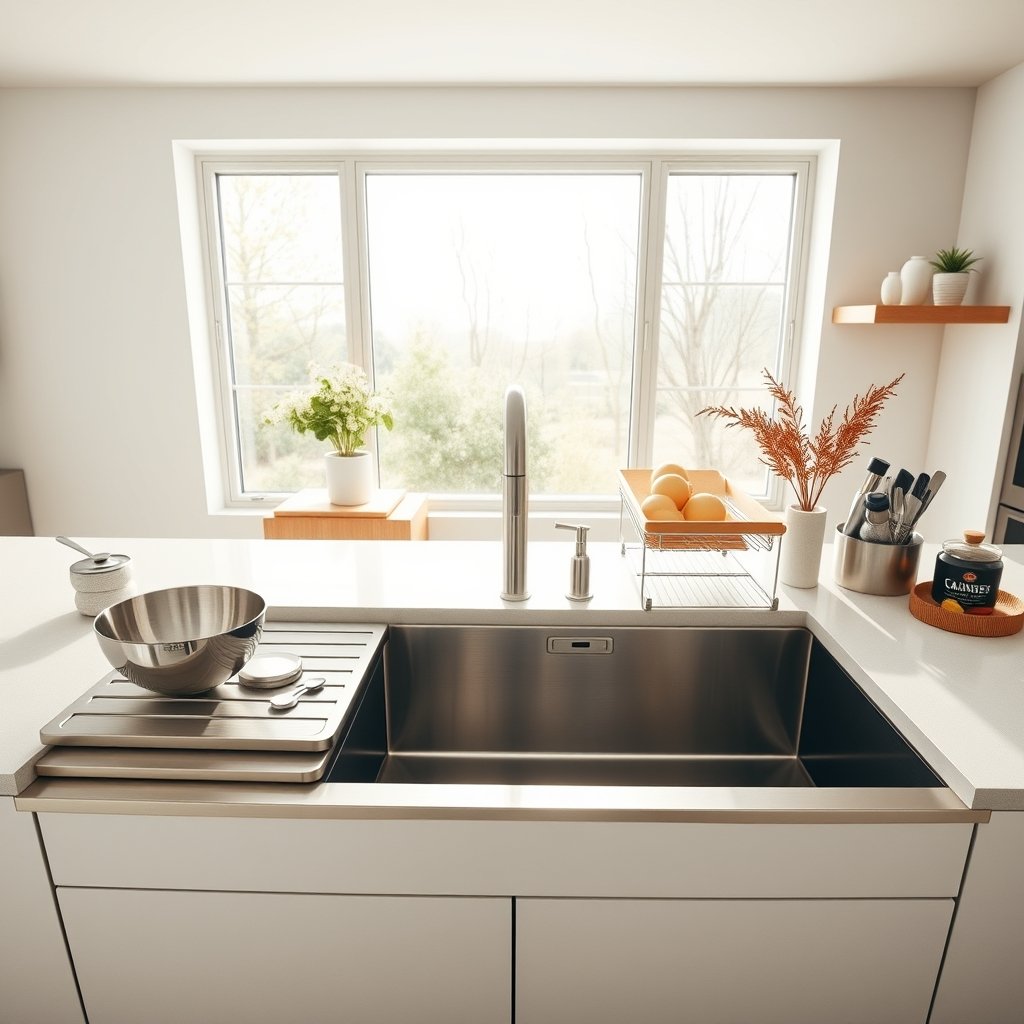
In the past, only luxury homes or high-end remodelers installed these systems, but now brands like Ruvati, Kraus, and BLANCO offer accessible packages for standard 30–33 inch cabinets. If you want to see similar kitchen tech transformations, check our AI Smart Oven guide for kitchen workflow upgrades.
Is a workstation sink worth it? Real cost picture (price tiers & what affects cost)
For most homeowners, the best workstation sink upgrade 2026 comes down to price versus actual daily benefit. Here’s a clear breakdown of what you’ll really spend and what factors drive cost:
| Upgrade Item | Low-End | Mid-Range | Premium |
|---|---|---|---|
| Workstation Sink (stainless steel) | $350 | $700 | $1,200+ |
| Included Accessories (cutting board, colander, rack) | $0 | $100 | $400 |
| Faucet (optional) | $150 | $250 | $400 |
| Installation (labor, basic plumbing) | $300 | $600 | $900 |
| Countertop/Plumbing Mods | $0 | $200 | $600+ |
| Total Installed Cost | $800 | $1,850 | $2,500+ |
Data from 2026 buying guide
Your real “ROI” comes from using those accessories daily, saving counter space, and possibly downsizing your island or prep cart. For most, a $1,200–$2,000 all-in install is ideal. It’s smart to budget for minor surprises—like minor countertop notching or shifting drainpipes. If you cook nightly, the best workstation sink upgrade 2026 will likely pay off in saved time and counter sanity.
For other space-maximizing appliances that keep kitchen upgrades affordable, see our guides to the best Multi Cooker and Compact Espresso Machine for quick meals and drinks.
Fit, cabinet and plumbing checklist before you buy (installation challenges)
Workstation Sink retrofits can go wrong if you skip basic measurements. Here’s a “measure-first” checklist for smooth installations, especially when dealing with small kitchens:
- Cabinet width
For most single-bowl models, 30-inch base cabinets are the minimum; double-bowls may need 33–36 inches. - Bowl depth
Too deep (over 10 inches) may crowd plumbing or trash bins below. Ideal: 9–10 inches. - Drain offset
Your existing drain may not line up—especially with right/left-rear configurations. Expect some plumbing adjustment. - Cabinet reinforcement
Heavier sinks (especially fully loaded with water/accessories) sometimes need support rails or blocking. - Countertop sizing
Many quartz or stone countertops require exact cutouts, and not all installers want to “modify on the fly.”
According to recent research, higher upfront and install costs often arise from overlooked cabinet/floor strength and tricky drain configurations. If you live in a city apartment, consider checking out the Portable Air Fryer and Cordless Stick Vacuum to further optimize your compact kitchen.
Top user complaints — what goes wrong in real kitchens
Workstation sink reviews highlight a few recurring pain points that shouldn’t be ignored:
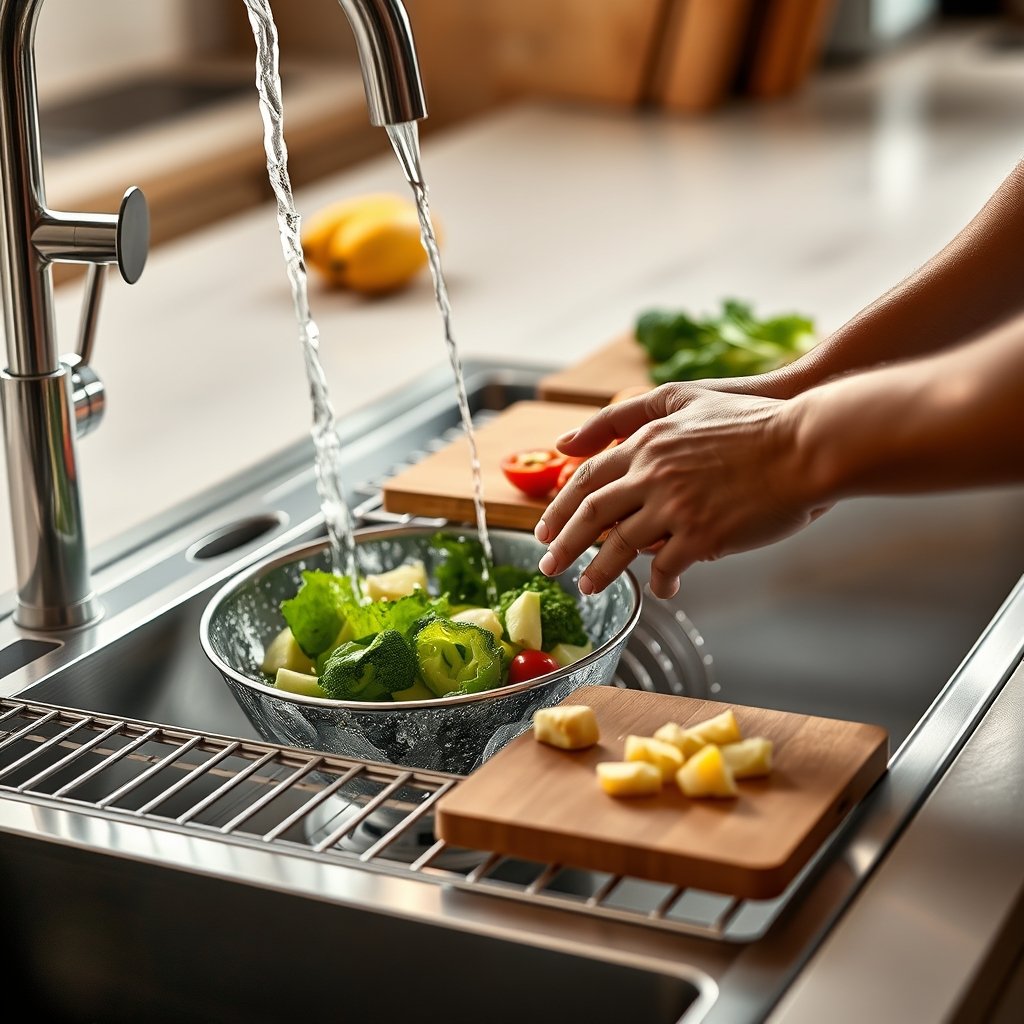
- Accessory cleaning hassle — The ledge rails and slotting points for workstation sink accessories colanders or colanders can trap food and grime, which are tough to sanitize and prone to buildup.
- Storage annoyance — Bulky boards, colanders, and racks may not fit easily in standard cabinets if not in active use.
- Noise/vibration — Thinner stainless bowls (18-gauge and up) may “ring” or vibrate if not properly damped—despite sound-deadening pads.
- Cost regret — Some users ultimately didn’t use the accessories as often as expected and regret the higher initial spend.
- Plumbing surprises — Drain misalignment with existing plumbing can mean last-minute labor costs.
Many of these negatives are most severe in busy homes that don’t keep up with the recommended cleaning schedule or where installers cut corners. According to user reviews and expert roundups, the cleaning hassle of ledge-mount accessories is by far the most frequently cited issue, followed by installation challenges and occasional noise complaints.
If you’re a heavy cook or often prep for more than two people, consider pairing your workstation sink accessories colander with a dishwasher-safe board and grid set to streamline weekly cleaning.
Accessories: which add real value and which create headaches
The accessory pack is what makes (or breaks) the kitchen workstation sink with cutting board workflow. Here’s how the most common add-ons stack up for 2026 buyers:
| Accessory | Benefits | Pitfalls | Extra Cost (typ.) | Best for… |
|---|---|---|---|---|
| Cutting Board (wood/composite) | Creates instant prep zone; cutting debris falls into sink | Traps residue under rails; wood may warp, needs hand wash | $0–$120 | Frequent meal prep |
| Colander/Strainer (workstation sink accessories colander) | Drain pasta, rinse greens hands-free | Small bits can clog holes; tough to scrub ends | $0–$60 | Pasta fans, salad preppers |
| Roll-up Drying Rack | Air-dries dishes and produce, stows easily | Prone to rust if not stainless; can get grimy | $0–$45 | Small kitchens with limited drying space |
| Bottom Grid | Protects sink from scratches | Tough to clean underneath; needs regular scrubbing | $0–$50 | Homes with heavy cookware |
Accessories often add $0–$400 to the total cost, especially if you swap out or upgrade from the bundled kit. Always check for dishwasher-safe ratings and measure to ensure the add-ons don’t hog precious cabinet real estate when stored.
For further ideas on smart, multi-use countertop appliances, see our recommendation for the best countertop ice maker for busy kitchens.
Material & durability tradeoffs (16‑ vs 18‑gauge stainless steel and beyond)
The vast majority of workstation sinks are made from stainless steel, and that’s no accident—this material still leads the residential market, holding a 65 percent share due to its durability, cost-effectiveness, and hygiene. However, not all stainless is created equal. Here’s what to consider:
- Gauge — 16-gauge is thicker, quieter, and resists dings; 18-gauge is more budget-friendly but may be noisier and less rugged for heavy pots.
- Sound-dampening — Look for extras like undercoating and sound pads. Cheap sinks “ping.”
- Finish — Satins and matte surfaces hide the most water spots and scratches; mirror gloss requires constant polishing.
- Corrosion resistance — Reputable brands use 304 or 316 stainless; watch out for “mystery steel” with poor anti-rust performance.
The top workstation sink stainless steel review sources say to upgrade to 16-gauge if you do lots of meal prep or value long-term quiet function. Want more on stainless appliances? Our Induction Burner review covers durability tradeoffs in other kitchen categories.
Small-kitchen strategies — maximize prep space without sacrificing function
If you’re renovating a 30- to 50-square-foot kitchen, counter space is at a premium. Here’s why a Roll-up Drying Rack small kitchen design often makes more sense than chasing extra cabinets or a costly island:
- Single-bowl workstation models maximize uninterrupted space for sheet pans, trays, or prepping bulk produce.
- Double-bowl versions add flexibility but require wider cabinets and often compromise bowl size.
- Roll-up racks, sliding cutting boards, and colanders extend your prep zone right above the sink basin—replacing the need for separate counter tools.
- Workstation Sink installs can potentially allow you to downsize your planned island or keep a cleaner countertop footprint.
Data shows rising adoption of these sinks in urban and compact-home remodels, with users most satisfied when the accessory workflow matches their real cooking habits.
Maintenance routine that prevents common pitfalls
Sticking to a consistent maintenance routine is the number one way to prevent cleaning hassles with workstation sinks and their accessories. Here’s an easy schedule:
- Weekly: Remove all ledge accessories. Scrub ledges, slot holes, and under-board grooves with a bottle brush for rails. Dishwasher all accessories that allow it.
- Monthly: Deep-clean the sink basin with a non-abrasive stainless cleaner. Sanitize wooden boards (if used) with food-safe cleaner—never submerge real wood in water.
- After prep: Never leave cut food, bread crumbs, or swarf under accessories overnight. Wipe ledges dry with a microfiber towel.
Top tools: bottle brush for rails, microfiber cloth for shine, and a dedicated accessory drying mat inside a pull-out drawer. User feedback highlights that most cleaning trouble starts when debris is left to dry inside slots or under rails—building habits beats new gadgets for this job.
Pair this approach with a compact espresso machine or AI Smart Oven for truly streamlined kitchen upkeep.
Best workstation sink upgrades for 2026 — who to consider and why
Given the wide range of options, how should smart buyers prioritize spending? Here’s a quick guide for three types of remodelers, rooted in data from workstation sink stainless steel review sources:
- Budget Remodeler — Seek 18-gauge single-bowl units with a basic accessory pack; avoid costly custom drains. Budget: $800–$1,200 all-in.
- Performance Cook — Choose premium 16-gauge sinks, upgraded faucet, and multi-accessory kits (cutting board, workstation sink accessories colander, roll-up rack). Budget: $1,400–$2,000.
- Small-Space Urbanite — Go for compact workstation sink small kitchen models, reversible ledges, and efficient over-sink Drainer/Board combos. Budget: $900–$1,500.
Regardless of category, prioritize function over looks and make sure to invest in cleaning-friendly accessories. Value comes not from quantity but daily use.
Quick decision checklist + FAQ (final buy/skip guide)
Do a “buy/skip” checklist before you commit:
- Do your base cabinets measure at least 30″ wide inside?
- Is the existing drain location compatible (or will extra plumbing be needed)?
- What are your “must-have” accessories (cutting board, durable colander, roll rack)?
- Is your budget at least $950 all-in (sink + basic install)?
- Is your preferred installer familiar with cutting new sink openings and dealing with thick counters?
Many homeowners ask if add-ons retrofit older sinks—sometimes they do if your rim is wide enough, but universal kits are often a clunky compromise. Full workstation units now account for about 18 percent of new product launches, so dedicated systems are quickly outpacing add-on solutions.
Resources & next steps (tools, links, and what to ask a pro)
- Download a free measurement template and cost worksheet from leading retailers before shopping.
- Ask your installer these critical questions: “Will my cabinet need reinforcement? Will the drain placement work or require moving pipes? Can you modify quartz/stone countertops safely?”
- Prioritize recent reviews—here’s a helpful user’s one-year workstation sink review and insightful roundups on kitchen upgrade pros and cons.
- For the most up-to-date workstation sink stainless steel review and best workstation sink upgrade 2026, consult manufacturer roundups published since early 2024 due to the rapid evolution in accessory integration and fit.
Conclusion
Workstation sinks are not a passing fad—they’re a durable, practical upgrade if you genuinely crave less counter clutter, more flexible prep space, and can commit to basic cleaning routines. For most mid-range remodelers, a Workstation Sink delivers real value if you choose the right size, accessories, and installer. Ready to clear your countertops and boost your workflow? Start by measuring your cabinet and reviewing user reviews above—then commit to habits that keep your new sink gleaming for years to come.
FAQ
Can I add workstation sink accessories to my existing sink?
Sometimes. Universal add-on kits exist but will only fit if your sink rim is wide or flat enough. A full factory workstation sink always offers better fit and stability.
Are workstation sinks worth it for small kitchens?
Yes, especially for kitchens under 50 sq ft. They combine prep, rinse, and drain in one footprint, helping you reclaim precious counter space. Be sure to check depth and bowl width before buying.
Are all accessories dishwasher safe?
No—many stainless and silicone parts are safe, but most real wood cutting boards must be hand washed. Always check manufacturer instructions for cleaning.
Do I need a plumber to install a workstation sink?
Usually, yes. If drain relocation, garbage disposal changes, or countertop cutting are required, a plumber and countertop pro are highly recommended for a leak-free fit.
Is stainless steel the best material for workstation sinks?
For most homeowners, yes—stainless resists stains, heat, and odors, and is more forgiving of dropped pans. Choose 16-gauge for top durability or 18-gauge for value.
—